A eulogy for the most misunderstood Windows version
Windows Vista was released in 2007. Today, nearly twenty years later, people keep believing it was a “bad” operating system. I have always disagreed with this. Yes, Windows Vista had many flaws and issues, but it was still a well-designed and dependable operating system, and represented a much needed rethink of what a desktop operating system should do.
The sins of Windows Vista
I don’t actually believe Microsoft Windows to be an overall “good” operating system. In fact, I don’t believe any operating system is “good”, they all have flaws and issues, and they all have to make compromises in order to achieve a specific goal.
Microsoft started building Windows Vista on a Windows XP base, with Windows Longhorn, but I don’t want to spend too much time discussing Longhorn because the Longhorn development itself warrants a full blog post on its own already.
Suffice to say, Windows Longhorn development got out of control, and it seemed clear to Microsoft that it wouldn’t be possible to ship the operating system if things continued the way they were going. In 2004, after three years of Longhorn development, Microsoft decided to completely reset Windows and start again from an XP base.
This fundamentally changed what would be eventually shipped as Windows Vista. It broke many promises and trashed its ambitious goals in exchange for a much quicker release, but Windows Vista still took a long time to arrive nevertheless.
“Windows Vista capable” stickers
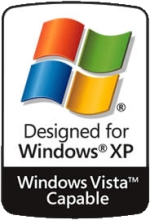
In the aptly named Criticism of Windows Vista Wikipedia page, there’s a specific section where the Windows Vista capable sticker controversy is discussed.
In this lawsuit, two consumers alleged that Windows Vista was advertised as “capable” on eligible computers, but in reality, the devices ran extraordinarily slow with Windows Vista.
 The liar
Sadly, this gave consumers the perception that Windows Vista was slow by design. This is, of course, absurd. While Windows Vista did raise the system requirements significantly, Windows 7 would be just as slow on these computers, which brings me to…
Vista is too slow!
To put things into perspective, up until Windows XP, Windows was offered in two kernel versions: NT-based, and MS-DOS-based. NT was tailored to businesses and large institutions, while the consumer versions of Windows were based on MS-DOS which offered, at the time, a superior multimedia experience and were also able to run all the videogames and software consumers had acquired over the years. Moving the consumer and business user base onto a single, unified operating system kernel was a bold decision, but it seemed to pay off with Windows XP.
By the time Windows Vista was released, five years had passed since Windows XP, during which hardware requirements had barely changed, and manufacturers felt little need to invest in better hardware or lower prices for next-generation hardware. Many people had even upgraded Windows Me-era computers to Windows XP and found that these computers ran just fine. Developers and users had, by then, grown accustomed to the Windows NT kernel with Windows XP, which was a major shift for consumer versions of Windows. As a result, many people had spent years using Windows XP on relatively modest hardware, so Vista’s much higher system requirements came as a shock to early adopters. For many existing Windows XP machines, Vista simply was not a practical upgrade.
I believe this is where many of the complaints about Windows Vista being “slow” came from: people were trying to run it on computers built for Windows XP. By the time Windows 7 was released, consumer hardware had advanced significantly. Newer, more powerful multi-core systems with several gigabytes of RAM had become common, and developers had grown accustomed to Vista’s new features and requirements. As a result, people could once again enjoy using their computers without feeling like the operating system was constantly getting in the way.
UAC and Administrator privileges
On Windows Vista, even administrator accounts no longer ran everything with full privileges by default; instead, Vista introduced UAC and required explicit elevation for privileged operations, also known as User Account Control.
In contrast, Windows XP, had all applications running with Administrator privileges, because this was the way the default user account was configured, unless the computer owner set up a secondary limited account, which was rare.
The impact of this was that applications that assumed the user had full access to all directories (Such as Program Files) in their computer would have great difficulty working in Windows Vista due to this change. Users, instead of blaming the developer for failing to adapt their applications to the new user model, blamed the OS that “broke” their apps.
The old driver model
Windows Vista introduced very necessary driver hardening features and architectural changes.
Despite its rock-solid NT kernel, XP-era drivers were a huge source of instability. A bad driver could crash the entire system, because they usually ran with kernel privileges, and many hardware vendors had spent years writing and refining XP drivers, only to have to adapt to yet another new driver mode.
The most important example is the new Windows Display Driver Model, or WDDM, which replaced the older XP display driver model. WDDM moved Windows graphics toward a more modern architecture with better GPU scheduling, video memory management, and recovery from graphics driver failures.
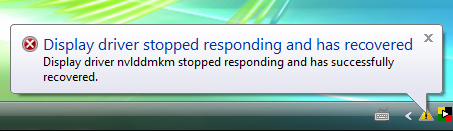 Before Vista, your computer would have blue-screened upon graphics drivers malfunctions
Windows Vista also introduced driver signing, especially on 64-bit systems, and encouraged device manufacturers to move out of fragile kernel-mode code where possible and into user-mode. Hardware that worked perfectly on XP could fail on Vista if the manufacturer had not written proper drivers.
This was a sound engineering decision, for kernel-mode drivers had the potential to crash the entire operating system whenever software or hardware malfunctions arose.
End-users would see their Windows XP computers were working perfectly fine, but Windows Vista could no longer use certain devices, and incorrectly concluded that the problem was Windows Vista.
What Vista got right
Windows Vista introduced many ground-breaking features and changes that improved the personal computer experience.
Despite users being annoyed at UAC prompts, driver problems, and higher hardware requirements, Vista laid the foundation for the further polish and refinement found in Windows 7.
Security and reliability
Strong kernel and memory protections
Aside from User Account Control, Vista introduced many kernel-level features and protections.
For the first time, Windows Vista introduced Address Space Layout Randomisation as a default part of the Windows security model. ASLR randomises where executables, DLLs, stacks, heaps, and other process structures are placed in memory, making it harder for attackers to predict useful addresses during memory-corruption exploits.
This mattered because many Windows exploits relied on predictable memory layouts. If an attacker knew where specific code or data would be loaded, they could redirect execution there. ASLR did not make exploitation impossible, but it made many attacks less reliable, especially when combined with Data Execution Prevention (DEP). Today, ASLR is considered a fundamental security feature for any modern operating system.
Windows Vista also introduced Mandatory Integrity Control, which added another layer alongside the traditional user-permission model. Vista could label processes and objects with integrity levels such as Low, Medium, High, and System. A normal desktop application usually ran at Medium, an elevated administrator process at High, and system services at System level.
The key idea was that a lower-integrity process should not be able to modify higher-integrity objects, even when running as the same user. This made it possible to run Internet-facing applications with reduced authority.
Mandatory Integrity Control enabled Internet Explorer Protected Mode. In this mode, Internet Explorer ran as a low-integrity process, limiting its ability to write to normal user files, registry keys, and system resources, a much needed feature in an increasingly online society with broadband access in every household.
Built-in firewall
Windows XP introduced firewall features around Service Pack 2, but Vista went further. Windows Firewall with Advanced Security made firewall and IPsec policy a part of the system’s security architecture as opposed to the basic Windows XP firewall that was limited to inbound connectivity restrictions.
This was a leap forward in terms of network security. Sadly, it did also introduce a brand new prompt that is now well-known by PC gamers, among others. Network-connected applications would now be prevented from receiving incoming network connections without the user’s manual approval. Videogames with online play functionality would often require the user to open a series of ports for players to connect to.
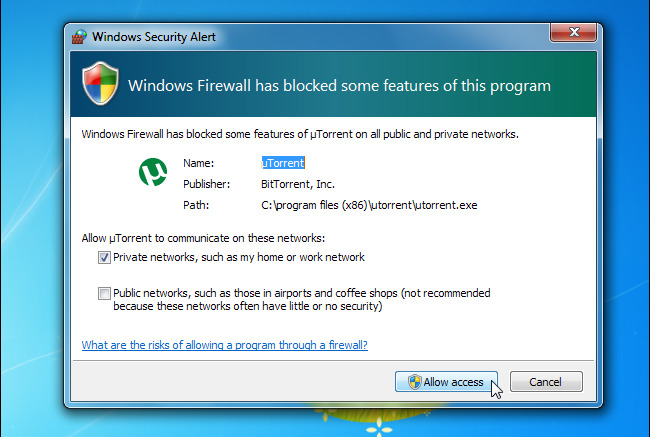 What you see when Windows firewall blocks a program
Windows Defender
Originally an optional add-on to Windows XP, known as “Windows AntiSpyware”, Windows Vista integrated Windows Defender directly in the Security Center in the default installation.
While it was renamed, both Windows Defender (in Vista) and Windows AntiSpyware were mainly anti-spyware security programs. Windows Vista offered a more polished look, and a better real-time integration than the previous iteration as seen in Windows XP.
BitLocker
For the first time in Windows desktops, Bitlocker introduces first-party full-disk encryption, which allowed users to encrypt their system disk without the need of third-party tools.
Bitlocker’s core idea of full-disk encryption remains in modern Windows, although later improvements would land in the form of user-space-only encryption, better recovery, and other features.
Shadow Copy and backups
Windows XP already included an early version of Shadow Copy, which allowed Windows to take snapshots of files or volumes, even when they’re in use, but it was mostly used by IT administrators and other experts through the use of command-line tools.
Windows Vista further improved this functionality by offering “previous versions” as a part of the properties window in Windows Explorer.
Also, System restore, introduced in Windows Me, was enhanced in Windows Vista to use the Shadow Copy backend, increasing the reliability of the overall process, by taking full volume-level snapshots, instead of watching specific locations and file extensions as it was the case in Windows Me throughout Windows XP.
Platform modernisation
SuperFetch and ReadyBoost
These are two closely related technologies. SuperFetch continuously analyses the operating system and attempts to load commonly-used library data into memory before it’s required, making the operating system much more responsive.
ReadyBoost further extends SuperFetch’s capabilities by also enabling users to make use of their USB ports and dedicate a flash drive to this task, improving the operating system’s responsiveness even in low-resource situations.
These technologies remain available in Microsoft Windows to this day, although the relevance of using USB ports to extend system memory is not as high now that NVMe drives and SSDs are ubiquitous.
DirectX 10
DirectX changed significantly with the introduction of Windows Vista and the exclusive DirectX 10.
But Microsoft was well aware that compatibility problems might arise due to the new driver model (WDDM), so Vista had a DirectX 9 reimplementation which could be used alongside Windows XP graphics drivers, but new Windows Vista features required WDDM, and Windows Vista drivers.
However, the decision to make DirectX 10 a Windows Vista exclusive drew harsh criticism, but Microsoft remained fully committed to its exclusivity.
A better networking stack
Windows Vista introduced IPv6 enabled by default, and the TCP/IP stack was overall more polished and stable.
This was not a very visible change for most end-users, but it defined the network foundation upon which Windows 7, 8, 10, and 11 would be based.
SMB2 was also a significant component of the improved Vista networking stack, which was simplified, and improved over SMB 1.0.
UEFI and GPT
Windows Vista SP1 also introduced UEFI support for x86_64 systems. This did not mean Secure Boot yet, but it did mark an important step away from the old BIOS/MBR world. On supported 64-bit systems, Vista could boot through UEFI and use GPT disks, preparing Windows for the firmware and disk-layout model that would become normal in the following decade.
Vista also improved many aspects regarding the early boot security, especially around BitLocker, TPM-backed startup checks, kernel-mode driver signing on x64, and a general move toward making the boot and kernel environment harder to tamper with.
User experience and user interface improvements
A modern start menu with indexed search
Windows Vista introduced a revolutionary concept that is now commonplace in all Windows operating systems: you could press the start button, start typing, and you would get search results immediately, allowing you to find your files and programs faster than before, without the need to navigate cascading drop-down menus.
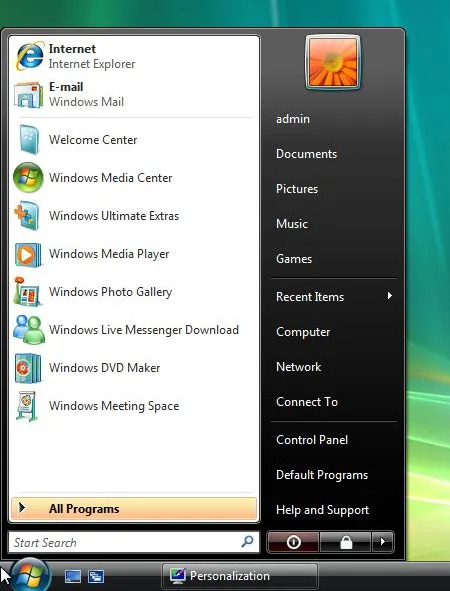 The start menu in Windows Vista
Desktop Gadgets
Windows Desktop Gadgets were a spiritual successor to Active Desktop: small pieces of web content living on the desktop. Unlike Active Desktop, however, Vista’s gadgets were a desktop feature rather than a way to turn the whole wallpaper into a web page.
Vista had a feature borrowed from early Windows Longhorn versions that allowed you to place gadgets on a dedicated sidebar, on the right side of the desktop.
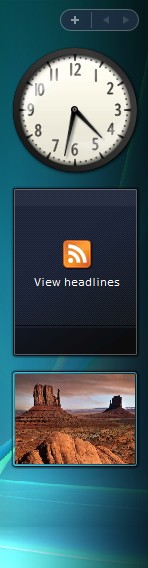 Windows Gadgets Sidebar
In Windows 7, the sidebar feature would be removed, but gadgets could still be freely placed on the desktop. This feature was discontinued in Windows 8, with the introduction of Live Tiles that combined application icons with live updates and up-to-date information.
First-class wireless connectivity
Vista made wireless networking feel more like a normal, integrated part of the operating system, with a better networking UI and a newer WLAN implementation.
Among other improvements, Vista brought:
- Native WPA/WPA2 support without vendor tools.
- Better roaming behaviour.
- Stronger 802.1X/EAP integration.
- Group policy support.
- Improved profile management.
Xbox 360, and the Media Center Extender
The Xbox 360 console released around the end of 2005, which was one year before the first versions of Vista started shipping. It remains one of Microsoft’s most successful hardware products by sales volume, having shipped more than a million units by the first month already. The Xbox 360 also came with “Media Center Extender” capabilities.
Windows Media Center first appeared in Windows XP Media Center Edition, but most users were on Home or Professional, and would never see this feature before Vista.
Vista made the feature part of the mainstream Windows experience. On Windows Vista Home Premium and Ultimate, the required Media Center Extender components were built in, and an Xbox 360 could connect to the PC over the network and display the Windows Media Center interface on a television.
Unfortunately, the HTPC (Home Theater PC) and Media Center experience didn’t take off as Microsoft projected, so the Media Center experience would continue until Windows 7 largely unmodified and was later abandoned.
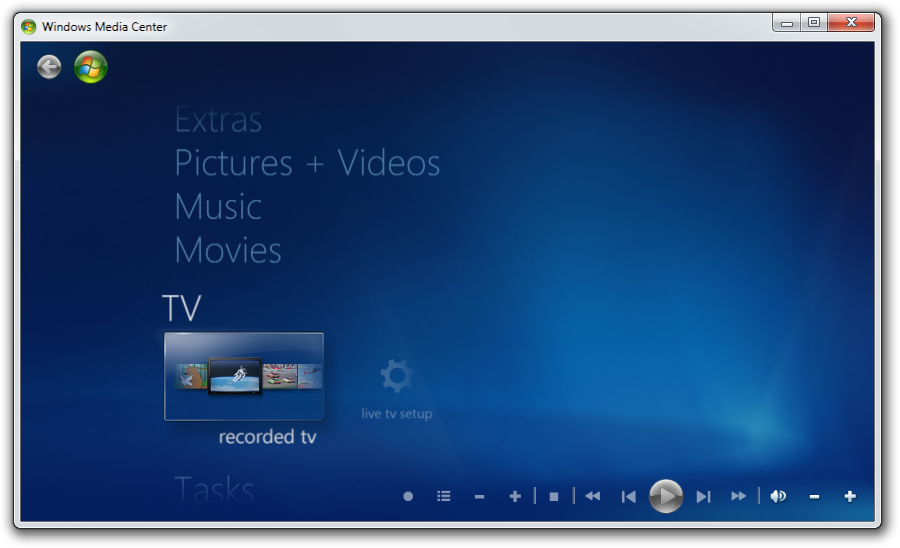 Windows Media Center
Sync Center
Windows Vista introduced Sync Center, a centralised place for managing synchronisation between the PC and other locations or devices.
This was especially useful for Offline Files: a laptop could keep local copies of files from a network share, let the user work while disconnected, and synchronise changes when the network became available again. When conflicts occurred, Vista exposed them through an integrated conflict-resolution interface.
While many home users may have never even used this tool, it reflected a paradigm shift where the computer was more connected, more mobile, and the amount of data users managed regularly was growing exponentially, and so were their data management needs, including backups, off-site copies, and secondary computers.
The previous iteration of this functionality was known as “Briefcase” in Windows Me and 2000, among others.
High-resolution icons
Windows Vista changed the look of the Windows desktop and began moving the interface away from many XP-era visual assumptions.
Windows XP icons were originally designed around small sizes such as 16x16, 32x32, and 48x48 pixels, because display technology was relatively low-resolution. Vista introduced much larger icons, with support for 256x256 pixel images stored inside .ico files, using PNG compression.
Windows was no longer being used only on low-resolution CRTs and small LCD panels. And with Windows Vista, it was now ready to be displayed in high-resolution screens without scaling issues.
Desktop composition
The entire desktop experience was reimagined with bold colours, responsive glass reflections and transparency on window borders making the desktop experience very attractive. It brought 3D graphics acceleration, live thumbnails, and more expressive animations.
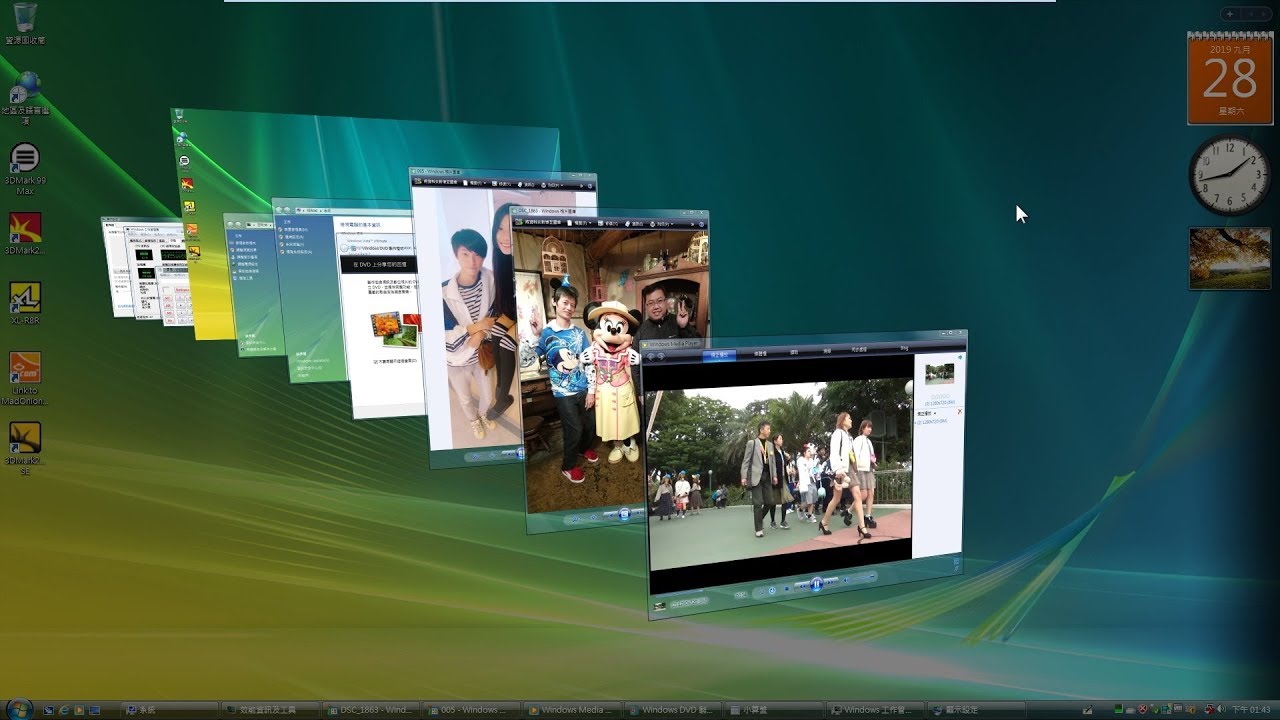 Aero Flip 3D
An additional benefit of desktop composition was that the desktop was being rendered in real-time, frame by frame, directly by the GPU, which made it impossible for applications to look “frozen” in the same way many Windows XP users experienced. Although this did not, of course, completely prevent application freezes and hangs, it did make freeze recovery easier.
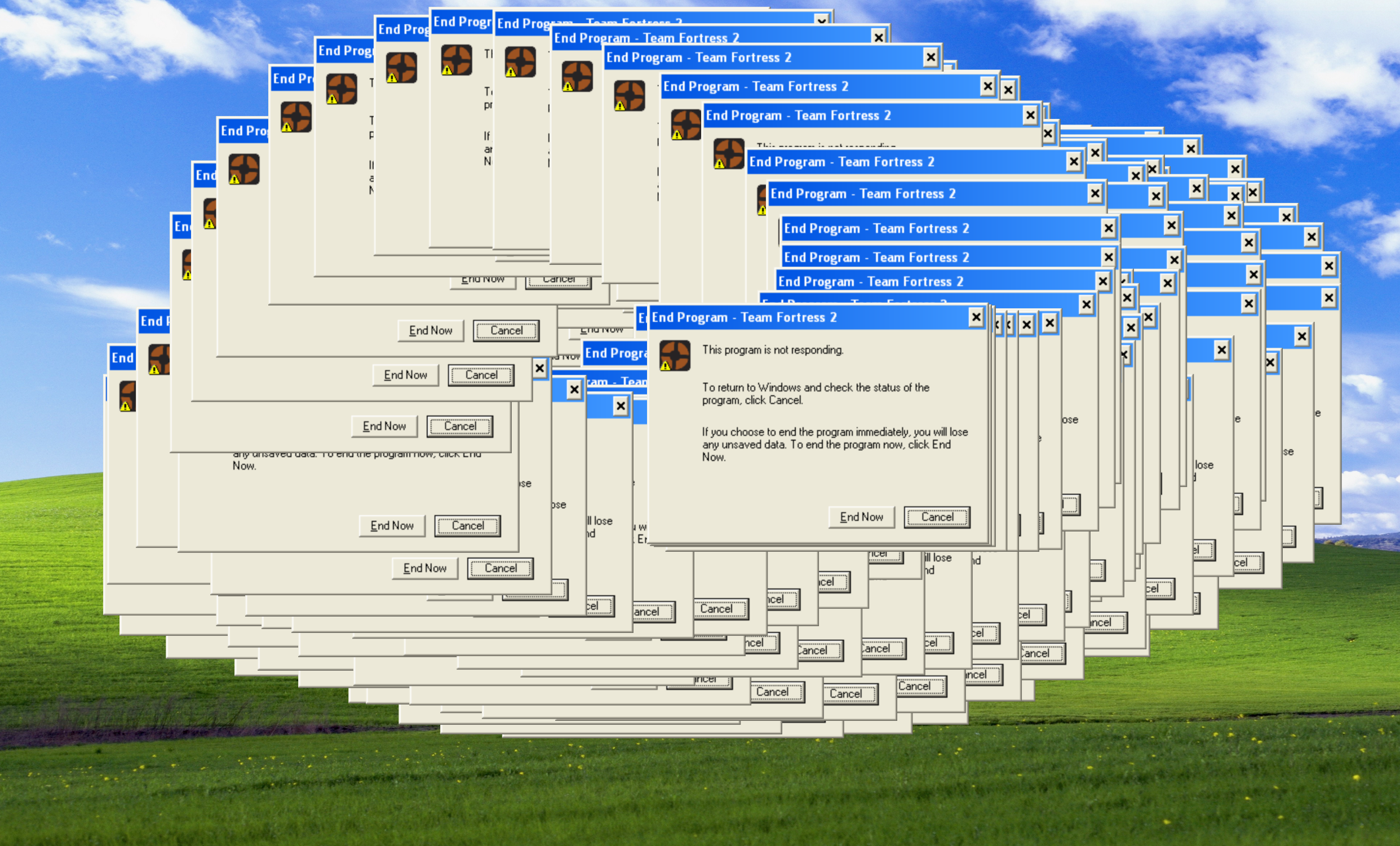 Typical Windows XP experience of a frozen program
Conclusion
The Windows Vista vision started with Longhorn, following the release of Windows XP. Longhorn was a highly ambitions project, but Microsoft faced insurmountable challenges, feature creep, and impossible timelines, so it was reset and heavily cut down with regards to the progress made in its early builds, which would eventually become Windows Vista.
While the engineering ideas behind Vista post-reset were solid and Windows needed urgent change, to many users it felt like a harsh transition with little justification because hardware vendors and software developers were not ready.
It is difficult to say whether there was a way to introduce the many improvements Vista brought without breaking changes or alienating users. Sometimes, in software engineering, backward compatibility comes at the cost of ever-increasing tech debt.
Often, in matters related to security, enforcing change is more important than avoiding inconveniencing users. By the time Windows 7 would be released, in 2009, developers, hardware manufacturers, and vendors had time to adjust to the new Windows Vista paradigms. Funnily enough, Windows 7 was largely unmodified aside from a slight interface redesign, introducing the now common “dock-taskbar” style with large program buttons and no text next to their icons.
The kernel, driver model, security architecture are, in fact, so similar between Vista and 7, that while Windows Vista was versioned as NT 6.0, Windows 7 was actually versioned as NT 6.1.
Overall, Windows Vista went too far into the future and broke too many habits for people to be ready to accept. Sadly, many users stayed on Windows XP for a long time even after Windows 7 released, forcing Microsoft to keep pushing back its end-of-life date, because many critical applications (like ATMs or military hardware) were still running Windows XP.